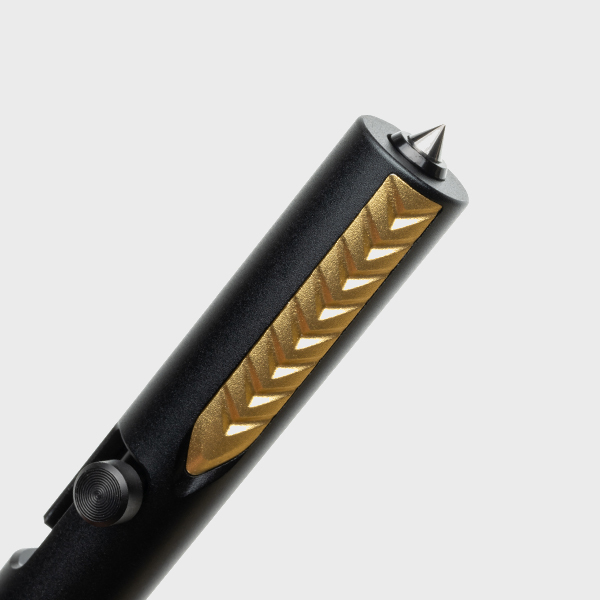
The TacPen is a versatile and durable tool designed for both writing and self-defense. To ensure consistent performance and longevity, regular maintenance is essential. Specifically, paying attention to the threads and preventing tip wobble can make a significant difference in the TacPen's reliability and overall user experience.
This guide provides tips on how to maintain the TacPen, with a focus on keeping the threads smooth and preventing any unwanted wobble in the tip.
Why Thread Maintenance Matters
The threads of the TacPen allow for smooth operation when the pen is extended or retracted. If these threads become damaged, dirty, or worn, it can lead to difficulties in opening or closing the pen, as well as tip instability.
-
Properly maintained threads ensure smooth opening and closing
-
Rough threads can cause tip misalignment and wobbling
-
Unclean threads can trap debris and affect the pen's functionality
Maintaining clean, smooth threads helps keep your TacPen functioning like new, without interruptions or discomfort during use.
How to Keep Threads Smooth
Regular Cleaning
Over time, dust, dirt, and other debris can accumulate on the threads of your TacPen. Regular cleaning with a soft cloth or brush helps keep the threads clear of particles that could cause friction or damage.
Lubrication
Applying a small amount of lubricant, such as graphite powder or a dry lubricant, to the threads can help reduce friction and make the movement of the pen smoother. Avoid using oil-based lubricants as they can attract dirt and grime.
Inspect for Damage
Regularly inspect the threads for signs of wear or damage. If the threads become stripped or worn, the TacPen may no longer function properly. Replacing the damaged part or seeking professional repair will ensure the pen remains reliable.
Preventing Tip Wobble
Tip wobble can be a frustrating issue, particularly when writing or using the TacPen for self-defense. It is typically caused by either loose parts or worn-out threads. Here's how to minimize or prevent tip wobble:
Ensure Tight Connection
The tip of the TacPen should be securely connected to the body. If the tip is loose, gently tighten it by turning it clockwise. However, avoid overtightening, as this can strain the threads or cause damage.
Check for Wear on the Tip
Inspect the tip and the surrounding threads for signs of wear or misalignment. If you notice that the tip has become crooked or unstable, consider replacing the worn-out part to maintain a solid, wobble-free experience.
Stabilize the Pen Body
If the body of the TacPen itself is unstable or shifting, the tip will likely wobble as well. Make sure that the body is in good condition, with no loose or bent parts that could affect the overall structure of the pen.
Regular Maintenance Schedule
- Clean the threads every 1-2 months depending on use
- Lubricate the threads every 3-6 months for optimal smoothness
- Check for tip wobble and loose parts every month
- Inspect for signs of wear and replace parts as needed
By following this simple maintenance schedule, your TacPen will remain smooth, stable, and functional for years to come.
Did You Know?
Regular lubrication not only keeps your TacPen functioning smoothly but also helps to extend the life of its parts by reducing friction and wear.
Conclusion
With the right maintenance techniques, you can keep your TacPen performing at its best, whether you're using it for writing or relying on it for self-defense. Proper thread care and tip maintenance ensure that the pen remains functional and comfortable to use. For more durable EDC gear and accessories, check out our EDC collection designed for high-performance needs.
FAQs
How often should I clean the threads on my TacPen?
It's recommended to clean the threads every 1-2 months, depending on how often you use the pen.
Can I use oil-based lubricants on my TacPen threads?
It’s best to avoid oil-based lubricants, as they can attract dirt and grime. Use a dry lubricant or graphite powder instead.
What should I do if the tip wobbles?
Ensure the tip is tightly connected, check for wear on the threads, and replace any damaged parts to prevent wobble.
How can I prevent the TacPen from becoming too tight?
Don’t overtighten the pen. Tighten it just enough to prevent the tip from loosening during use.
How do I know when it’s time to replace parts on my TacPen?
If you notice misalignment, excessive wear, or persistent wobble, it may be time to replace the affected parts to ensure the TacPen continues to function properly.