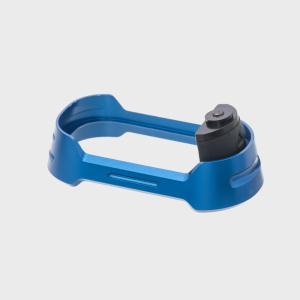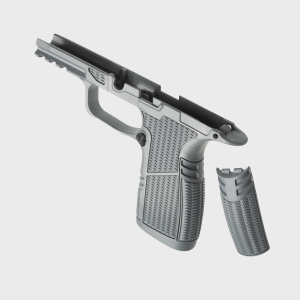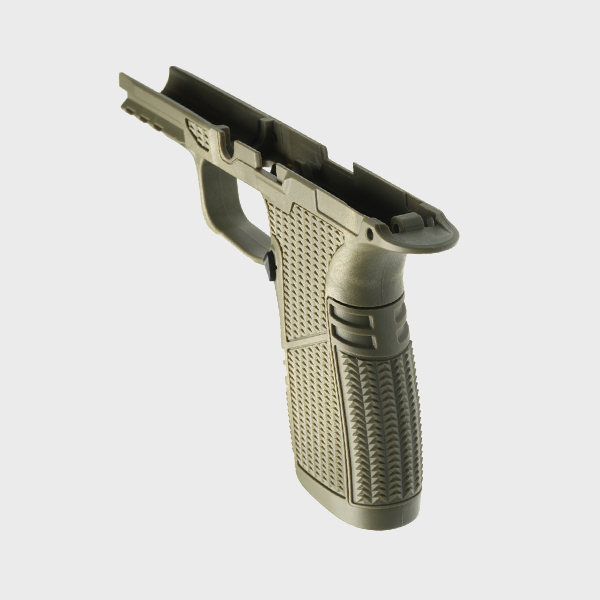
A magwell can make reloads faster, more consistent, and more forgiving on the P365 platform. However, a poorly fitted magwell can introduce a frustrating problem: magazine drag. Instead of dropping freely or seating smoothly, magazines may hang up, rub against internal surfaces, or require extra force to insert.
Most of these issues are not caused by the magwell itself. They usually come from small contact points between the magwell, grip module, magazine baseplate, or magazine body. Understanding where to inspect these areas helps ensure smooth reloads and reliable operation.
Why Magazine Drag Happens
A magazine should move through the magwell with minimal resistance. Any interference between components creates friction that slows insertion or prevents magazines from dropping free.
Because the P365 platform uses multiple grip module variations, magazine extensions, and aftermarket accessories, even minor dimensional differences can create unwanted contact.

Tolerance Stacking
Small manufacturing variations across multiple parts can combine to create fitment issues that would not exist with individual components alone.
Aftermarket Component Differences
Baseplates, grip modules, and magwells from different manufacturers may not always interact perfectly without adjustment.
Check the Front of the Magazine Baseplate
One of the most common contact points is the front edge of the magazine baseplate.
Insertion Interference
As the magazine enters the magwell, the front of the baseplate may contact the lower edge of the magwell before the magazine fully seats.
Visible Wear Marks
Repeated contact often leaves shiny spots, finish wear, or light scuff marks that reveal where interference is occurring.
Extension Compatibility
Larger aftermarket extensions are more likely to create contact issues than factory baseplates.
Inspect the Rear Baseplate Area
The rear section of the magazine can create drag just as easily as the front.
Backstrap Clearance
Some magwells taper toward the rear, reducing clearance around certain baseplate designs.
Uneven Seating
If the rear of the baseplate contacts first, the magazine may enter at a slight angle before seating fully.
Evaluate Side-to-Side Clearance
Magazine drag is not always caused by the baseplate. The magazine body itself can create interference.
Grip Module Variations
Different grip modules may provide slightly different clearances around the magazine body.
Magwell Alignment
A magwell that is not perfectly centered can create uneven contact on one side of the magazine.
Observe Magazine Movement
Slowly insert the magazine and look for areas where movement becomes noticeably tighter.
Check Insert and Retention Areas
Some magwells use inserts or retention systems that create additional contact points.
Mounting Hardware Clearance
Screws and retention components should not protrude into the magazine path.
Insert Positioning
If the insert shifts slightly during installation, it may create unexpected interference with the magazine body.
Verify Even Installation
Uneven installation can create drag even when all individual parts are within specification.
How to Diagnose Contact Points
Finding the exact source of drag is usually straightforward when approached methodically.
Use Marker Testing
A non-permanent marker applied to suspected contact surfaces can reveal where rubbing occurs after a few insertion cycles.
Look for Wear Patterns
Fresh scuffs often identify interference points immediately.
Test Multiple Magazines
If only one magazine drags, the issue may be related to that specific baseplate or magazine body rather than the magwell.
What a Properly Fitted Magwell Should Feel Like
When correctly installed, a magwell should guide magazines into the pistol without creating resistance.
Smooth Insertion
The magazine should enter cleanly without catching or binding.
Positive Seating
The magazine should lock into place consistently without requiring excessive force.
Reliable Drop-Free Function
Loaded and unloaded magazines should eject freely when the magazine release is pressed.
Did You Know?
Many magazine drag issues are caused by baseplate-to-magwell contact rather than the magazine body itself, making them easier to diagnose than most shooters expect.
Conclusion: Small Contact Points Create Big Reload Problems
A properly installed P365 magwell should improve reload speed, not introduce friction or resistance. By checking baseplate clearance, magazine body alignment, insert positioning, and wear patterns, you can identify and eliminate drag before it affects performance. For magwells, magazine extensions, and P365 upgrades designed around precise fitment and reliable operation, explore SIG Sauer upgrade parts engineered for smooth handling and consistent performance.
FAQs
Why won't my magazine drop free after installing a magwell?
Contact between the magwell, baseplate, or magazine body is the most common cause.
Can aftermarket baseplates cause drag?
Yes, larger extensions often create new contact points that may require inspection.
How do I find where the magazine is rubbing?
Use a marker test or inspect for fresh wear marks after repeated insertions.
Should loaded magazines drop free?
They should on a properly fitted setup, although weight and spring tension can influence ejection speed.
Can a misaligned magwell cause feeding problems?
In severe cases, excessive drag or improper alignment can interfere with smooth magazine insertion and seating.